Something is draining your battery. Now you can see exactly what
MacBookBatteryMonitor shows live per-app power draw, whole-system usage, and battery health from your menu bar measured in real watts, not vague scores.
Set app power limits, offload to E cores for low priority apps, charge limits and more. Best of all no subscription, ever.
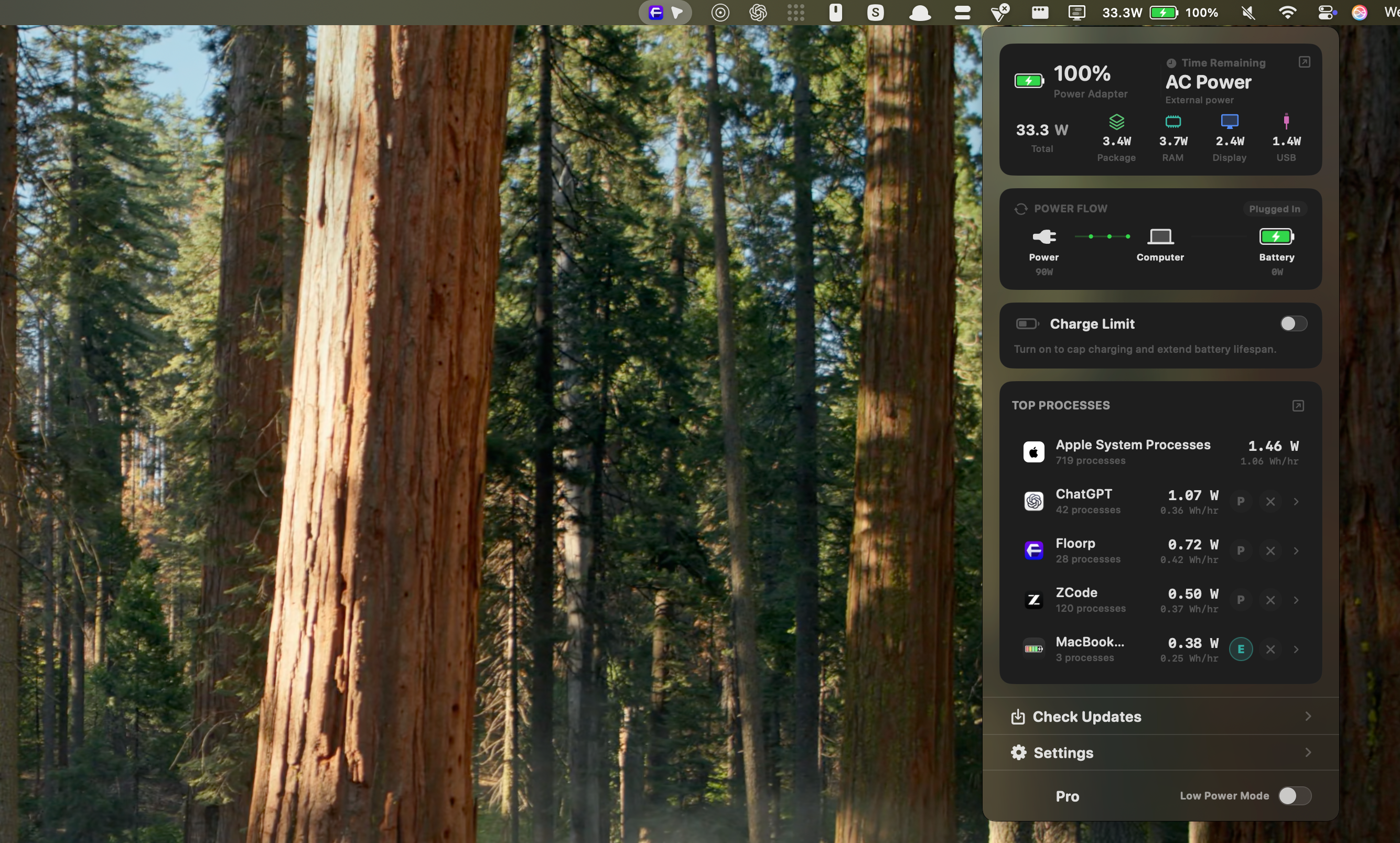
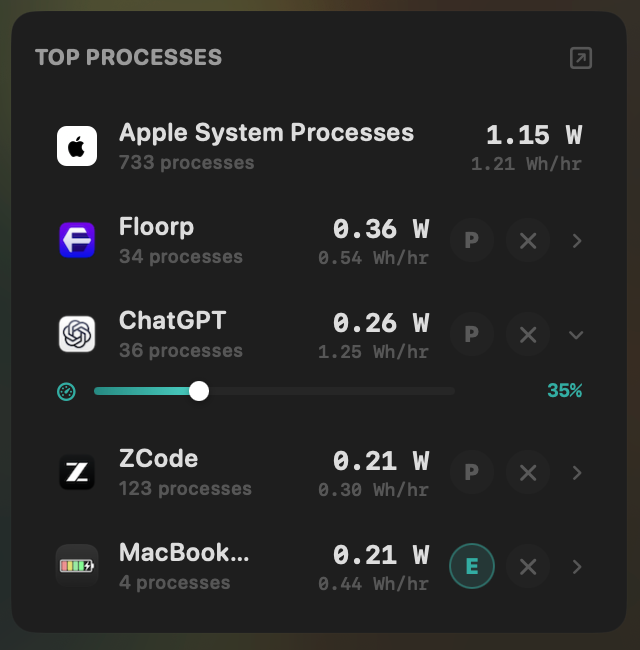
Control every app at a glance
Accurate per app power tracking, one click kill, CPU usage limits, E core offload. Every tool you need to make the most of your battery life right in your menu bar.
Comparing tools? See our guide to the best Mac power monitor apps.
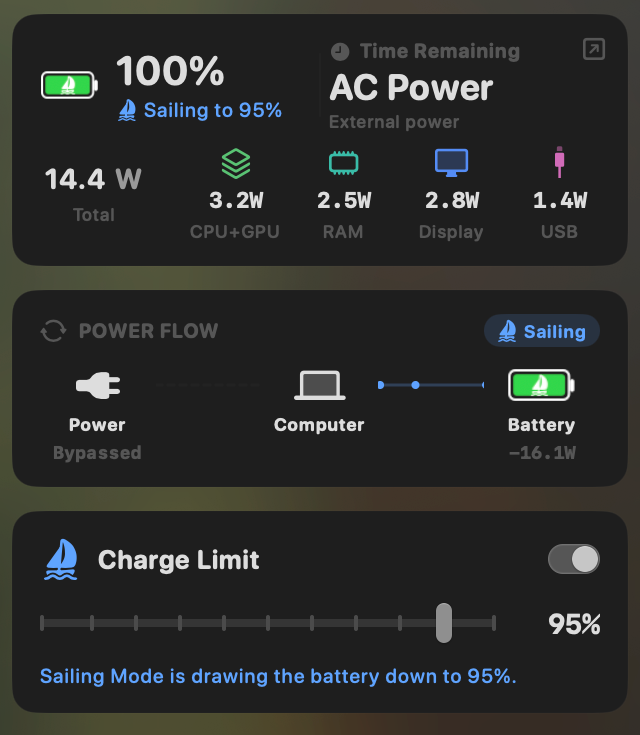
Set power limits and extend your battery health
Batteries wear down much faster when held at full charge for long periods of time. Using the power limit and sailing features you can prevent your macbook from overcharging and extend your battery health.
Weighing up charge limiters? Compare the best Mac charge limiter apps or the AlDente alternatives.
Every battery detail. Every running process.
Check battery health and see which apps are drawing the most power, all in one place.
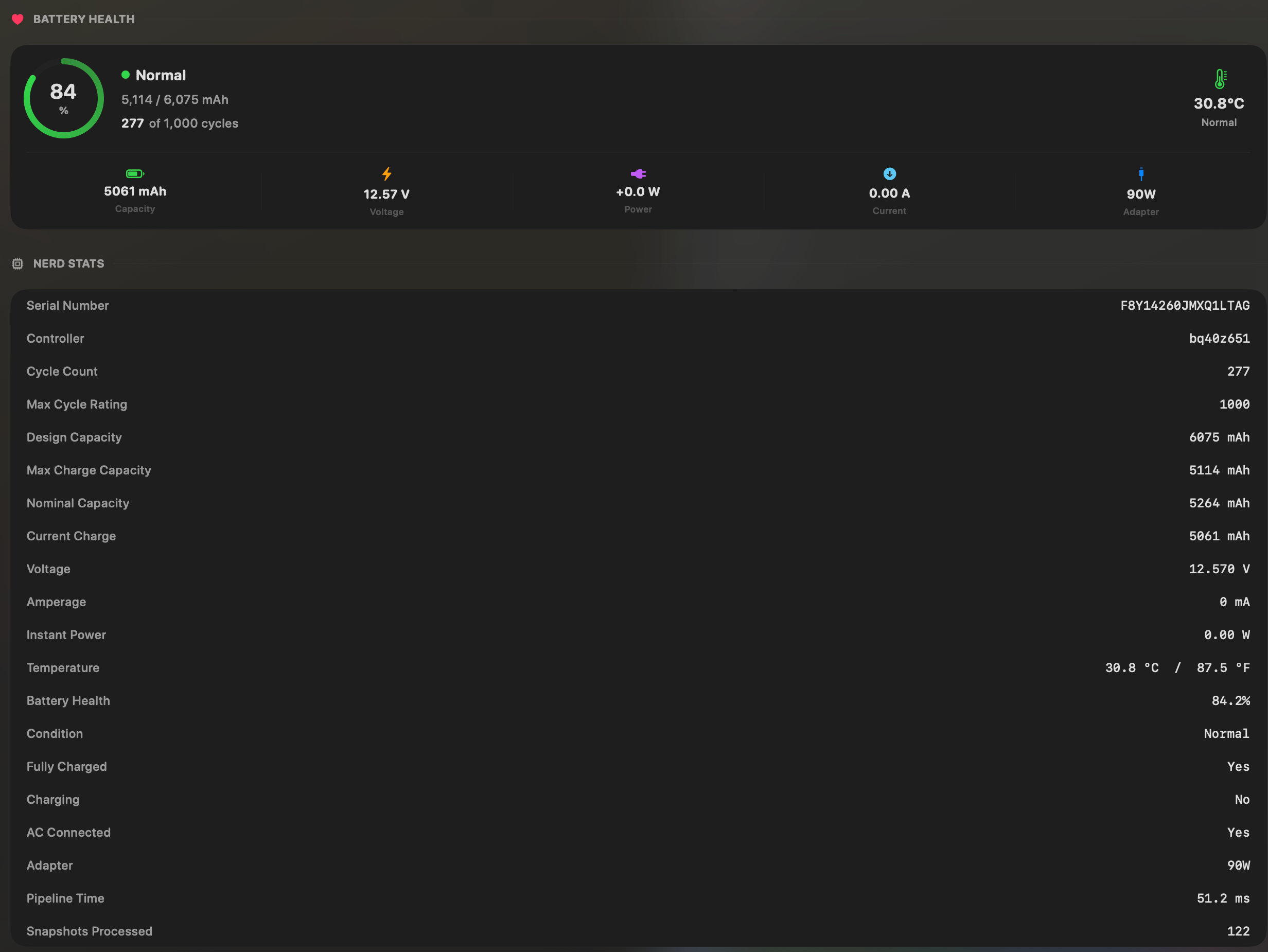
All the stats you need
See battery health, capacity, cycle count, temperature, and key electrical details in one place. No important metric hidden.
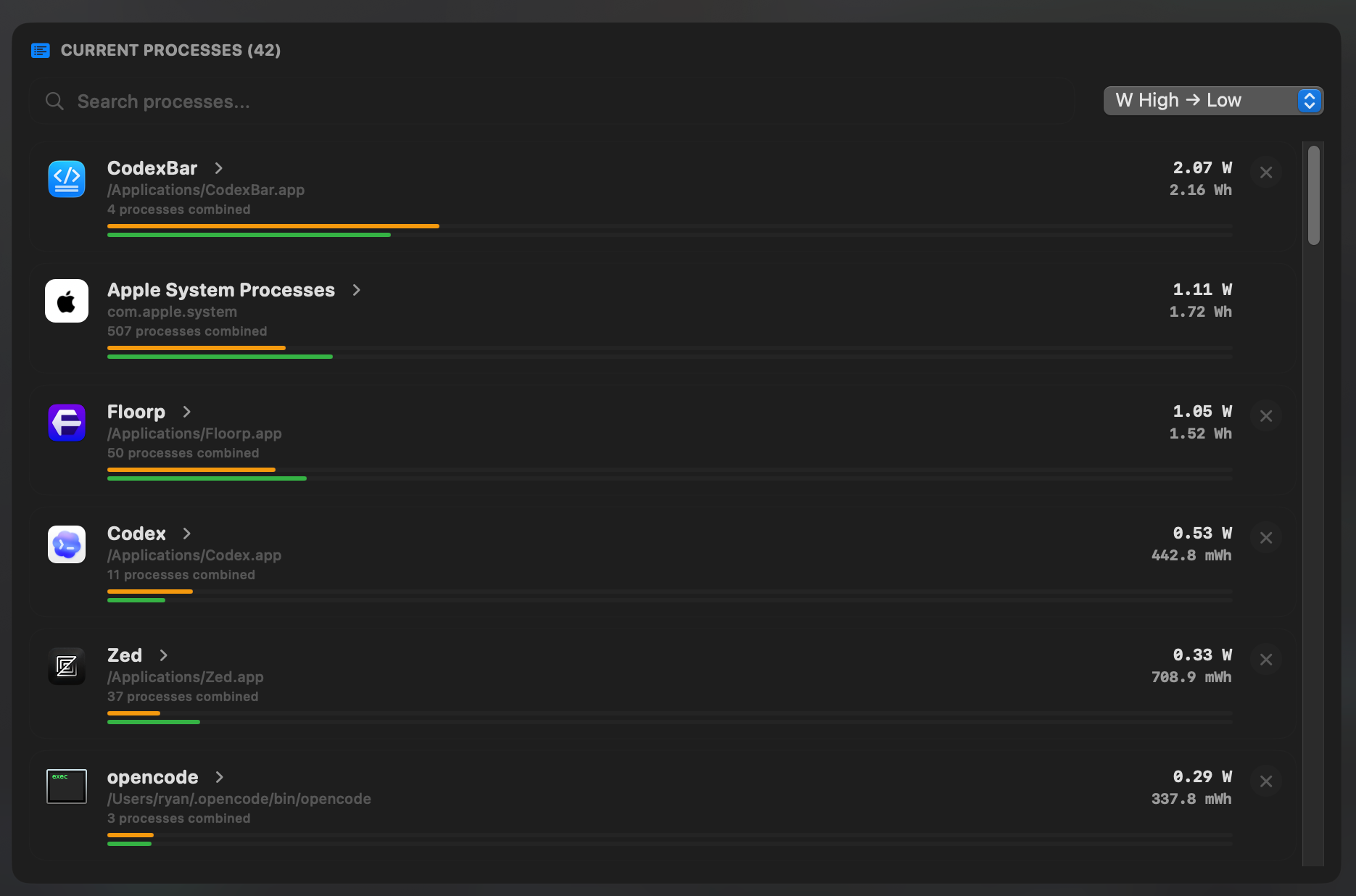
See all your apps power draw at once
See which app uses the most power at any time so you know what to close, quit, or test first.
No subscriptions. Pay once. Use forever.
Pay once and own it forever. Every license includes lifetime updates with no subscription.
Single License
$18 USD$9 USD
One license for one Mac. Pay once, keep it forever.
1 Seats
Live power draw per app
Energy history & charts
One-click app kill
Charge limits & Sailing Mode
Per-app CPU usage limits
Efficiency-core app offload
Battery health insights
All future updates
Pay once, own forever
Multi License
$30 USD$15 USD
Three licenses for three Macs. Same lifetime updates, one checkout.
3 Seats
Live power draw per app
Energy history & charts
One-click app kill
Charge limits & Sailing Mode
Per-app CPU usage limits
Efficiency-core app offload
Battery health insights
All future updates
Pay once, own forever
The complete MacBook battery toolkit.
Compare MacBookBatteryMonitor with the battery tools built into macOS. Every license includes every feature, lifetime updates, and no subscription. Or see how it compares with other Mac battery apps.
| Feature | What it gives you | MacBookBatteryMonitor | macOS |
|---|---|---|---|
| Diagnose battery drain | |||
| Live per-app power draw | Process-level watts and watt-hours in real time. | ✓Included | ~Relative score |
| System total power draw | See your Mac’s complete live draw measured in watts. | ✓Included | —No live watts |
| Component power breakdown | Separate CPU, GPU, memory, display, and USB usage. | ✓Included | —Not available |
| Hidden workload detection | Surface drain from Docker, cloudflared, launchd, and subprocesses. | ✓Included | ~Manual process view |
| Understand battery health | |||
| Battery health and condition | Compare current capacity with the battery’s original design capacity. | ✓Included | ✓Built in |
| Cycle count | See current cycles alongside the battery’s design cycle limit. | ✓Included | ✓Built in |
| Battery temperature | Live temperature in Celsius or Fahrenheit with a status label. | ✓Included | —Not available |
| Control charging | |||
| Charge limit | Set a target from 50% to 100% through the Mac’s SMC. | ✓Included | ~80–100% · 26.4+ |
| Sailing Mode | Draw down to your target while the Mac remains plugged in. | ✓Included | —Not available |
| Low Power Mode automation | Turn Low Power Mode on automatically below your chosen threshold. | ✓Included | ~Manual modes |
| Act on demanding apps | |||
| Per-app CPU throttle | Cap an app’s CPU usage from 10% to 100%. | ✓Included | —Not available |
| Efficiency-core offload | Move a selected app to efficiency cores with a per-app toggle. | ✓Included | —Not available |
| One-click quit | Stop runaway apps and their subprocesses from the menu bar. | ✓Included | ~Activity Monitor |
| Built for daily use | |||
| Native menu-bar app | Keep live battery information and controls one click away. | ✓Included | ✓Battery menu |
| Energy history | Review whole-system and per-app energy use for up to 30 days. | ✓Included | ~Up to 10 days |
| One-time purchase | No subscription, with lifetime updates included. | ✓Included | ✓Included with Mac |
FAQ
Short answers to the big questions.